Back to Blog
Most brokerages and 3PLs already run operations on a TMS. What the TMS rarely handles well is everything around the load: the quote request that sat in someone's inbox, the shipper who went quiet after the first lane, the carrier who never finished onboarding, the account that is about to churn. That is the job HubSpot does. This guide shows how to set it up for a freight broker or 3PL, step by step, and what it looks like in real logistics projects.
To use HubSpot as a freight broker or 3PL, set it up as the commercial layer around your TMS. Keep shippers and carriers in one CRM, route every quote request into a shared inbox or form, track each opportunity in a freight sales pipeline, automate follow-up with sequences, handle shipment issues as tickets, and integrate the TMS so loads, tracking and invoices appear on each customer record.
What HubSpot does for a brokerage, and what your TMS still does
| Job | Where it lives | Why |
|---|---|---|
| Load tendering, carrier matching, tracking, settlement | TMS | Operational execution belongs in the system built for it |
| Shippers, carriers and contacts | HubSpot | One shared view of every relationship and every conversation |
| Quote requests and follow-up | HubSpot | Nothing waits unseen; every request has an owner and a status |
| Sales pipeline and forecasting | HubSpot | Management sees what is coming, by rep, office and service |
| Shipment issues and customer requests | HubSpot (tickets) | Service history sits next to sales history |
| Loads, tracking and invoices for sales context | TMS, synced to HubSpot | Reps see real activity without asking operations |
How to set up HubSpot for a freight broker or 3PL
1. Model shippers and carriers
Store shippers and carriers as companies, with a property that marks each one as shipper, carrier or both, and associate the people you deal with at each. Add the properties your team actually filters by: modes, equipment, lanes, regions, credit status. Keep the list short. If loads or lanes need to be records in their own right, HubSpot offers custom objects on its Enterprise subscriptions; decide that early, because it shapes every pipeline and report you build afterwards.
2. Route every quote request into one place
In freight, shippers send the same request to several providers at once, so speed decides who gets the load. Rushmore, a Chicago container drayage company, receives a quote request by email every few minutes. We connected that quote inbox to HubSpot's shared inbox and set up a lead status system so the team could prioritize who to answer first.
Requests can also start on your website. For Freightzy, a single-source logistics provider in Ontario, we rebuilt two freight calculators inside HubSpot CMS, one for freight class and one for shipping quotes, and connected every use to the sales process through tickets, workflows and internal email.
3. Build a freight sales pipeline
Give the pipeline stages that match how a shipper becomes a customer, for example: request received, quoted, awarded, first load moved, recurring account. Make the key fields required at each stage so reports stay reliable. For formal quotes, HubSpot's quotes tool requires Revenue Hub Professional or Enterprise; accounts that already used legacy quotes can keep them, but HubSpot no longer offers them to new users. The rate itself usually comes from your TMS, rating system or calculator.
4. Automate follow-up
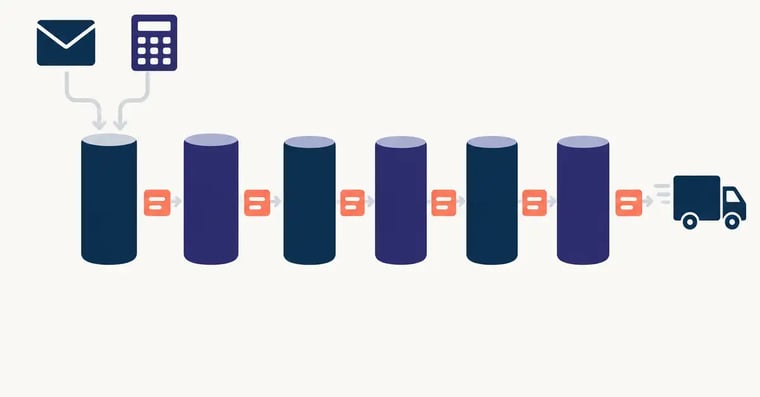
Use sequences for follow-up, tasks for reminders and workflows to assign owners and move deals based on activity. At Tovesa, a logistics company offering international trade services, we set up sequences, the calling tool and lead and sales pipelines so follow-up stopped depending on memory and management could see each rep's activity in real time.
5. Handle service with tickets
Delays, damages, documentation questions and billing disputes become tickets with an owner and a status, linked to the shipper's record. When the next quote comes in, the rep can see the service history before answering.

6. Integrate your TMS
Bring into HubSpot the data that gives sales and service context: orders and shipments, transport data, tracking status and invoices from the TMS, plus inventory and fulfillment status from a WMS if you run warehouses. There are three ways to connect: an App Marketplace connector if one exists for your system, an integration platform (iPaaS), or a custom integration on the HubSpot API. HubSpot's data sync covers many common apps. Decide which system owns each field before you sync anything.
7. Report on what matters
Build dashboards for response time on quote requests, win rate by lane or service, pipeline by rep and office, and accounts with falling volume. For Atlanta Bonded Warehouse, a bonded warehousing and distribution company, we implemented HubSpot's reporting tools to make reporting faster and support better decisions.
Running several offices or countries
When each office runs its own tool, nobody knows what a colleague is doing with the same shipper. That was the situation at MSL Corporate, a freight consolidator with offices across South America: some offices used a proprietary quoting platform, others spreadsheets, others their own HubSpot portals. We brought everything into one HubSpot, migrated the data, automated follow-up and internal notifications, and built regional and individual dashboards.
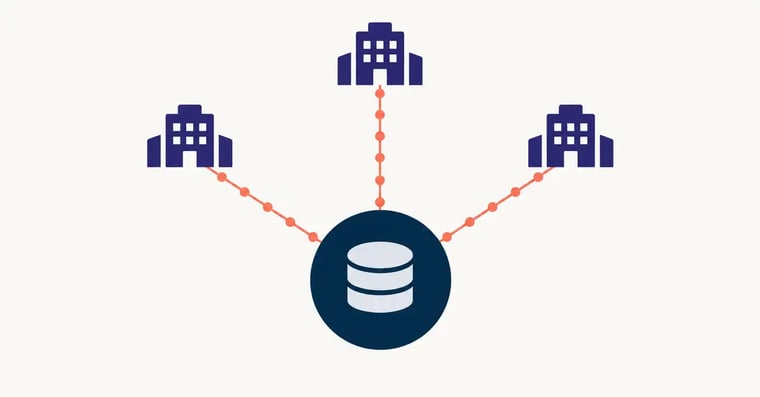
In HubSpot, set up teams by office or country and limit access to records by team where needed. If you sell in more than one currency, HubSpot supports multiple currencies on deals from the Starter plans up.
What it looks like in real logistics projects
| Company | What we implemented | What changed |
|---|---|---|
| Child Logistics | Freight brokerage and warehousing in Ridgefield, Washington: a standardized sales pipeline in Sales Hub Professional, with custom properties and configuration that match daily operations | A sales process defined inside HubSpot that mirrors the real sales cycle |
| Rushmore | Shared inbox for quote requests and a lead status system | Quote requests centralized and prioritized |
| Freightzy | Freight class and shipping calculators in HubSpot CMS, connected to tickets and workflows | Calculators turned into a lead source |
| MSL Corporate | One HubSpot for every office, data migration, automation and dashboards | A unified regional pipeline visible to management |
| DHL Express (LATAM) | Microsite, forms, email, webinars, CRM and reporting in one portal across 17 countries | Monthly form submissions grew from about 150 to 200 to more than 2,000 |
Which HubSpot plan a brokerage needs
A small brokerage can start with Sales Hub Starter. Multiple offices, advanced automation and custom reporting usually point to Sales Hub Professional. Custom objects for loads, lanes or contracts come with HubSpot's Enterprise subscriptions. For what the subscription, HubSpot's onboarding fee and a partner implementation cost, read what a HubSpot implementation costs.
Want HubSpot set up for your brokerage or 3PL?
We are a HubSpot Elite Partner with logistics projects across North and Latin America. Bring your TMS, your quote process and your team structure, and we will tell you what to build first.
Talk to a specialistFrequently asked questions
How do I use HubSpot as a freight broker or 3PL?
Use HubSpot for the commercial side of the business and keep your TMS for operations. In HubSpot, store shippers and carriers as companies, send quote requests to a shared inbox or web form, move each opportunity through a freight sales pipeline, automate follow-up, and log shipment issues as tickets. Then integrate the TMS so loads, tracking and invoices show up on each customer record.
Can HubSpot replace a TMS?
No. HubSpot is a CRM. It does not tender loads, match carriers, plan routes or run settlement. What it adds is the customer and sales layer a TMS usually lacks: lead capture, quote follow-up, pipeline visibility, service tickets and reporting. The two systems work best when they are integrated.
Can HubSpot integrate with a TMS?
Yes. There are three routes: a connector from the HubSpot App Marketplace if one exists for your TMS, an integration platform (iPaaS), or a custom integration built on the HubSpot API. The usual data to bring into HubSpot is orders and shipments, tracking status and invoices, so sales and service can see real customer activity.
How do freight brokers manage quote requests in HubSpot?
Route every request into one place, usually a shared inbox connected to HubSpot, a web form or a freight calculator on your site. Each request becomes a record with an owner and a status, so the team can see what is waiting and respond fast. Formal quotes can be sent with HubSpot's quotes tool, which requires Revenue Hub Professional or Enterprise; accounts that already used legacy quotes can keep them, but HubSpot no longer offers them to new users.
Can HubSpot track carriers as well as shippers?
Yes. A common setup stores both as companies, with a property that marks each one as a shipper, a carrier or both, and separate pipelines for selling to shippers and onboarding carriers. If you need to track loads or lanes as their own records, HubSpot offers custom objects on its Enterprise subscriptions.
What HubSpot plan does a freight broker need?
It depends on the team and the process. A small brokerage can start with Sales Hub Starter. Multiple offices, advanced automation and custom reporting usually point to Sales Hub Professional. If you want loads, lanes or contracts as their own objects in the CRM, custom objects come with HubSpot's Enterprise subscriptions.
Who is the best HubSpot partner for logistics companies?
Look for a partner with published logistics projects, experience integrating HubSpot with a TMS, WMS or ERP, and the ability to support multiple offices or countries. We are a HubSpot Elite Partner and have worked on logistics projects with DHL Express, Child Logistics, Rushmore, Freightzy, MSL Corporate and Tovesa.
HubSpot for logistics, implemented by people who have done it
Shipper and carrier records, quote requests with clear ownership and visible follow-up, and an integration with your TMS.
HubSpot for logistics and 3PLSources: Child Logistics case study · Rushmore case study · Freightzy case study · MSL Corporate case study · Tovesa case study · Atlanta Bonded Warehouse case study · DHL LATAM Bootcamp case study · HubSpot: custom objects · HubSpot: quotes · HubSpot: limit access by team · HubSpot: currencies · HubSpot: data sync. Accessed October 23, 2026.